> ## Documentation Index
> Fetch the complete documentation index at: https://developer.wooxpro.com/llms.txt
> Use this file to discover all available pages before exploring further.
# API Key Permissions
When creating an API Key, you can assign the following permissions:
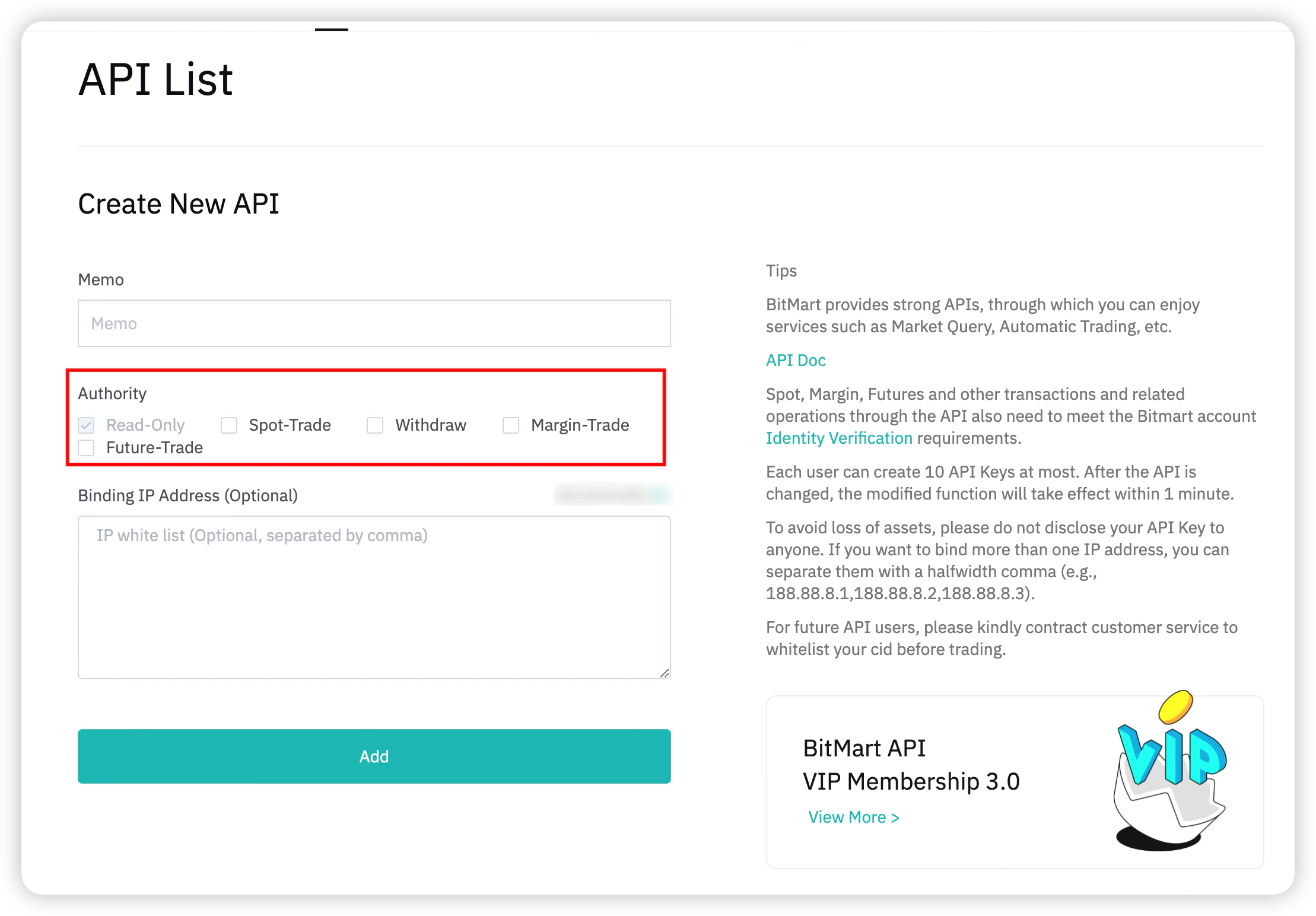 | Permission | Description |
| ---------------- | ---------------------------------------------------------------------------- |
| **Read-Only** | Query orders, positions, account balances, and market data |
| **Future-Trade** | Place orders, cancel orders, manage positions (open long, close short, etc.) |
The default permission for a newly created API Key is **Read-Only**.
#### Read-Only Permission Scope
The following actions are available with Read-Only permission:
| Interface | Auth Type | Description |
| -------------------- | --------- | -------------------------------- |
| Get Order | SIGNED | Query a single order by order ID |
| Get Open Orders | SIGNED | Query all open orders |
| Get Order History | SIGNED | Query historical orders |
| Get Position | SIGNED | Query current positions |
| Get Account Assets | SIGNED | Query account balance |
| Get Transfer History | SIGNED | Query transfer records |
#### Future-Trade Permission Scope
With Future-Trade permission, all Read-Only actions are available plus:
* Submit orders (limit, market)
* Cancel orders (single, batch, all)
* Submit and manage plan orders (stop, TP/SL, trailing stop)
* Adjust leverage and position mode
* Transfer funds
| Permission | Description |
| ---------------- | ---------------------------------------------------------------------------- |
| **Read-Only** | Query orders, positions, account balances, and market data |
| **Future-Trade** | Place orders, cancel orders, manage positions (open long, close short, etc.) |
The default permission for a newly created API Key is **Read-Only**.
#### Read-Only Permission Scope
The following actions are available with Read-Only permission:
| Interface | Auth Type | Description |
| -------------------- | --------- | -------------------------------- |
| Get Order | SIGNED | Query a single order by order ID |
| Get Open Orders | SIGNED | Query all open orders |
| Get Order History | SIGNED | Query historical orders |
| Get Position | SIGNED | Query current positions |
| Get Account Assets | SIGNED | Query account balance |
| Get Transfer History | SIGNED | Query transfer records |
#### Future-Trade Permission Scope
With Future-Trade permission, all Read-Only actions are available plus:
* Submit orders (limit, market)
* Cancel orders (single, batch, all)
* Submit and manage plan orders (stop, TP/SL, trailing stop)
* Adjust leverage and position mode
* Transfer funds