> ## Documentation Index
> Fetch the complete documentation index at: https://developer.wooxpro.com/llms.txt
> Use this file to discover all available pages before exploring further.
# API Key Application
To access WOO X Pro's private API endpoints, you need to create an API Key from your account settings.
Each user can create up to 10 API Keys. Changes to an API Key take effect within 1 minute.
#### How to Apply
1. Log in to your WOO X Pro account
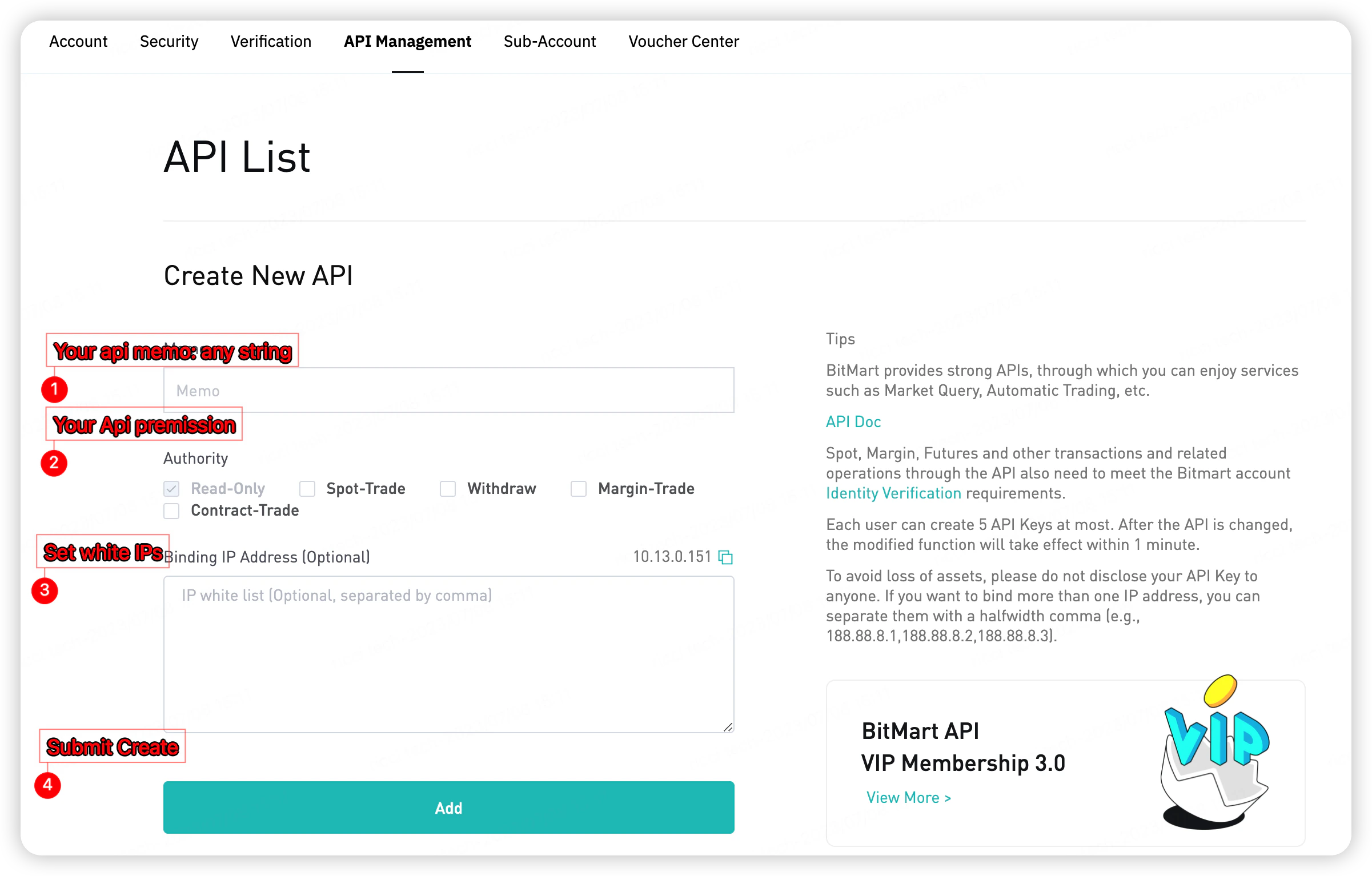
2. Navigate to **Account → API Management**
3. Click **Create New API**
4. Set a memo name and select the required permissions
5. Optionally bind IP addresses to restrict access
6. Click **Add** to submit
 After creation, save your **Access Key** and **Secret Key** — the Secret Key is only shown once.
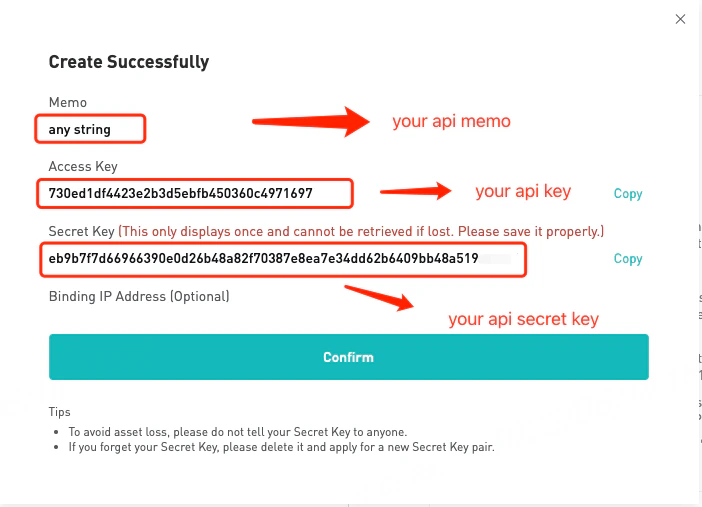 Never share your Secret Key with anyone. If lost, delete the key and create a new one.
#### IP Whitelist (Optional)
You can bind one or more IP addresses to restrict API access. Separate multiple IPs with commas (e.g., `188.88.8.1,188.88.8.2,188.88.8.3`).
Create API Key →
Never share your Secret Key with anyone. If lost, delete the key and create a new one.
#### IP Whitelist (Optional)
You can bind one or more IP addresses to restrict API access. Separate multiple IPs with commas (e.g., `188.88.8.1,188.88.8.2,188.88.8.3`).
Create API Key →