> ## Documentation Index
> Fetch the complete documentation index at: https://developer.wooxpro.com/llms.txt
> Use this file to discover all available pages before exploring further.
# API Key 申请
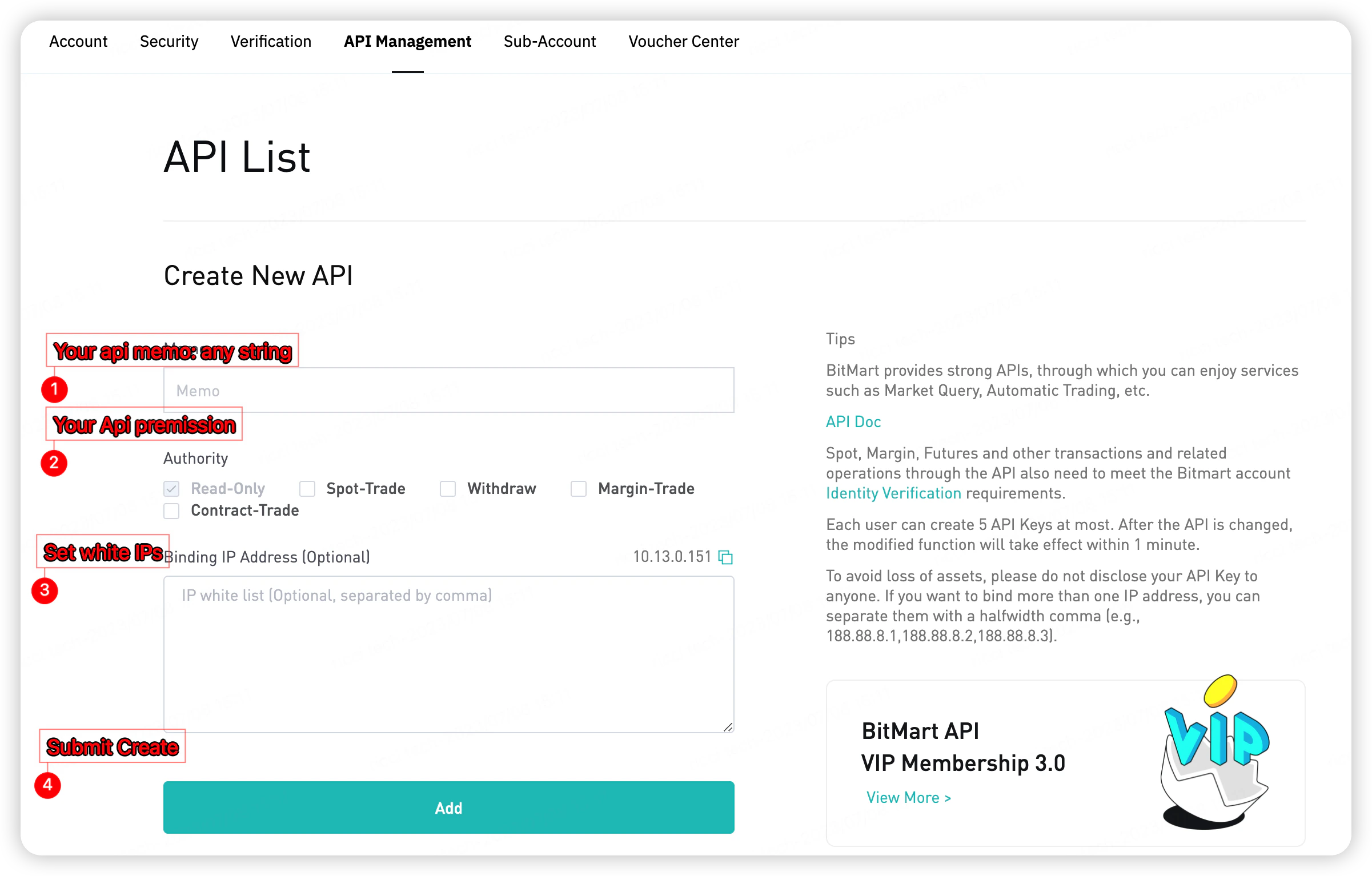
访问 WOO X Pro 的私有 API 接口,需要在账户设置中创建 API Key。
每位用户最多可创建 10 个 API Key。API 修改后将在 1 分钟内生效。
#### 申请步骤
1. 登录 WOO X Pro 账户
2. 进入 **账户 → API 管理**
3. 点击 **创建新 API**
4. 填写备注名称,选择所需权限
5. 可选绑定 IP 地址限制访问来源
6. 点击 **Add** 提交
 创建完成后,保存 **Access Key** 和 **Secret Key** —— Secret Key 仅展示一次。
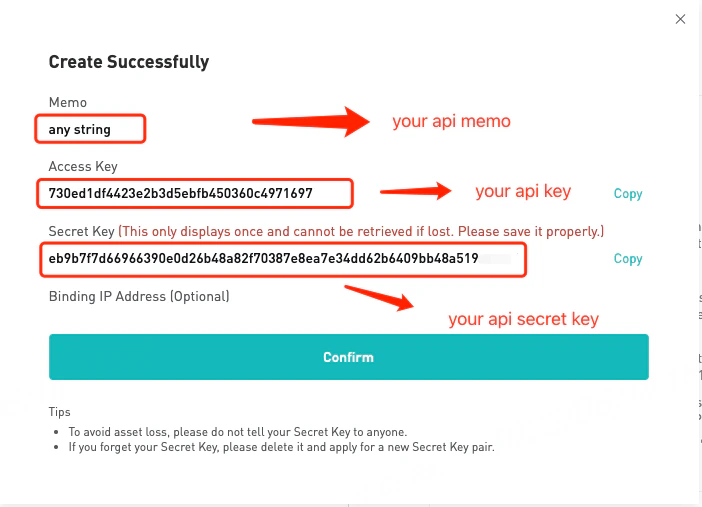 请勿将 Secret Key 泄露给任何人。如果丢失,请删除该 Key 并重新创建。
#### IP 白名单(可选)
可绑定一个或多个 IP 地址,限制 API 访问来源。多个 IP 以半角逗号分隔(例如:`188.88.8.1,188.88.8.2,188.88.8.3`)。
创建 API Key →
请勿将 Secret Key 泄露给任何人。如果丢失,请删除该 Key 并重新创建。
#### IP 白名单(可选)
可绑定一个或多个 IP 地址,限制 API 访问来源。多个 IP 以半角逗号分隔(例如:`188.88.8.1,188.88.8.2,188.88.8.3`)。
创建 API Key →